

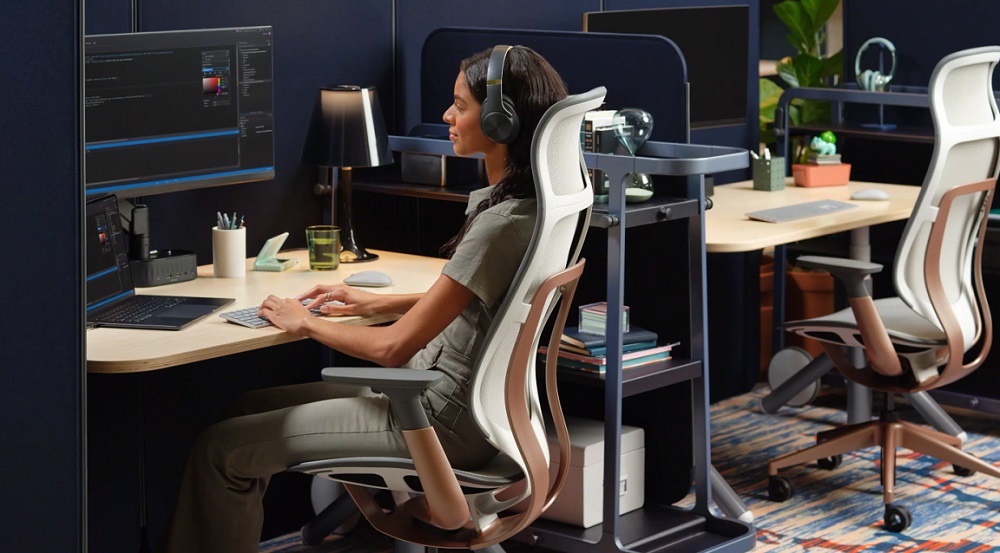
Creating a workspace that supports both comfort and productivity is no longer optional—it’s essential. Whether you work from home, manage long study hours, or spend full days in a corporate setting, ergonomic furniture helps protect your posture, improve focus, and reduce fatigue. A thoughtfully designed setup can transform how your body feels at the end of the day.
This guide explores the importance of ergonomic furniture, its benefits, and how to choose the right pieces for lasting comfort and efficiency.
What Is Ergonomic Furniture?
Ergonomic furniture is designed to match the natural alignment and movement of the human body. Unlike conventional furniture, it adapts to the user rather than forcing the user to adapt to it.
Its primary goals include:
- Supporting natural posture
- Reducing physical strain
- Improving circulation
- Increasing productivity
- Preventing long-term musculoskeletal problems
These pieces are especially valuable for people who spend extended hours sitting or working at a desk.
Why Ergonomic Furniture Matters for Daily Comfort
Many people ignore early signs of discomfort until they develop into persistent pain. Ergonomic furniture helps prevent this progression by supporting healthy movement throughout the day.
Key advantages include:
Reduced Back and Neck Pain
Chairs with lumbar support maintain spinal alignment and reduce pressure on the lower back.
Improved Productivity
Comfortable workers stay focused longer and experience fewer interruptions from fatigue.
Better Posture Habits
Proper seating encourages natural body positioning without conscious effort.
Lower Risk of Workplace Injuries
Long-term strain injuries become less likely with supportive work environments.
Enhanced Energy Levels
Proper positioning improves blood circulation and reduces exhaustion.
Essential Ergonomic Furniture for Home and Office Setups
Building an ergonomic workspace doesn’t require replacing everything at once. Start with the most impactful pieces.
Ergonomic Chairs
An ergonomic chair is the foundation of any healthy workstation.
Look for features such as:
- Adjustable seat height
- Lumbar support
- Breathable cushioning
- Adjustable armrests
- Reclining backrest
A supportive chair prevents slouching and reduces spinal stress during long sitting sessions.
Adjustable Desks
Height-adjustable desks allow users to alternate between sitting and standing throughout the day.
Benefits include:
- Reduced stiffness
- Improved circulation
- Better posture flexibility
- Increased alertness
Switching positions regularly keeps muscles engaged and prevents fatigue.
Monitor Stands or Arms
Positioning your screen at eye level prevents forward neck posture.
Ideal placement:
- Top of monitor at or slightly below eye level
- Screen approximately arm’s length away
This simple adjustment significantly reduces strain.
Ergonomic Keyboards and Mice
Traditional typing tools often force wrists into awkward angles.
Ergonomic alternatives help:
- Maintain neutral wrist positioning
- Reduce repetitive strain
- Improve typing comfort
Small adjustments can make a big difference over time.
Footrests
Footrests support proper leg positioning when desk height cannot be adjusted.
They help:
- Improve circulation
- Reduce knee pressure
- Maintain spinal alignment
Especially helpful for shorter users.
How Ergonomic Furniture Improves Work Performance
Comfort directly influences mental clarity and output quality. When your body is supported correctly, your brain can focus on tasks instead of discomfort signals.
Workers using ergonomic furniture often report:
- Faster task completion
- Fewer breaks caused by discomfort
- Improved concentration
- Better mood stability
Healthy posture supports sustained attention throughout the workday.
Choosing the Right Ergonomic Furniture for Your Space
Selecting ergonomic furniture involves more than appearance. It must match your body and working habits.
Consider these factors before purchasing:
Body Measurements
Choose adjustable features that accommodate your height and arm reach.
Workspace Size
Compact setups benefit from multifunctional or foldable ergonomic solutions.
Daily Usage Duration
Long working hours require higher-quality support systems.
Material Quality
Breathable mesh and supportive foam improve comfort during extended use.
Mobility Needs
Portable furniture works well for flexible home setups.
Testing furniture whenever possible helps ensure proper fit.
Tips for Setting Up an Ergonomic Workspace at Home
A well-arranged environment enhances the benefits of ergonomic furniture.
Follow these setup suggestions:
- Keep feet flat on the floor or footrest
- Position elbows at roughly 90 degrees
- Align monitor with eye level
- Maintain neutral wrist positioning
- Sit with hips slightly higher than knees
- Take movement breaks every 30–45 minutes
Even small adjustments can dramatically improve comfort levels.
Long-Term Health Benefits of Ergonomic Furniture
Investing in ergonomic furniture supports both immediate comfort and future well-being.
Over time, users may experience:
- Reduced chronic back pain
- Improved spinal alignment
- Lower stress on joints
- Better breathing posture
- Increased circulation efficiency
These benefits extend beyond work hours and improve overall lifestyle quality.
Common Mistakes to Avoid When Buying Ergonomic Furniture
Some buyers focus only on aesthetics or price rather than function.
Avoid these errors:
- Choosing non-adjustable chairs
- Ignoring lumbar support features
- Setting monitors too low
- Purchasing desks without height flexibility
- Overlooking wrist positioning tools
Proper selection ensures maximum benefit from your investment.
Conclusion
Ergonomic furniture transforms everyday work into a healthier and more comfortable experience. From adjustable chairs to supportive desks and accessories, each component contributes to improved posture, productivity, and long-term wellness. Creating a workspace that adapts to your body is one of the most effective steps toward sustainable comfort and performance.
Frequently Asked Questions (FAQs)
1. How do I know if my chair is truly ergonomic?
An ergonomic chair should allow adjustments in height, lumbar support, armrests, and backrest tilt so it matches your body proportions.
2. Can ergonomic furniture help reduce headaches during work?
Yes. Proper screen alignment and posture reduce neck tension, which often contributes to headaches.
3. Is ergonomic furniture necessary for short working hours?
Even shorter sessions benefit from supportive posture, especially when repeated daily over long periods.
4. What is the ideal sitting duration before taking a break?
Experts recommend standing or moving every 30 to 45 minutes to maintain circulation and reduce stiffness.
5. Are ergonomic desks suitable for small rooms?
Yes. Many compact adjustable desks are designed specifically for limited spaces.
6. Does ergonomic furniture improve productivity immediately?
Many users notice improvements quickly, though long-term posture benefits develop gradually.
7. Can students benefit from ergonomic study setups?
Absolutely. Proper seating and desk alignment help maintain focus and prevent posture-related discomfort during study hours.